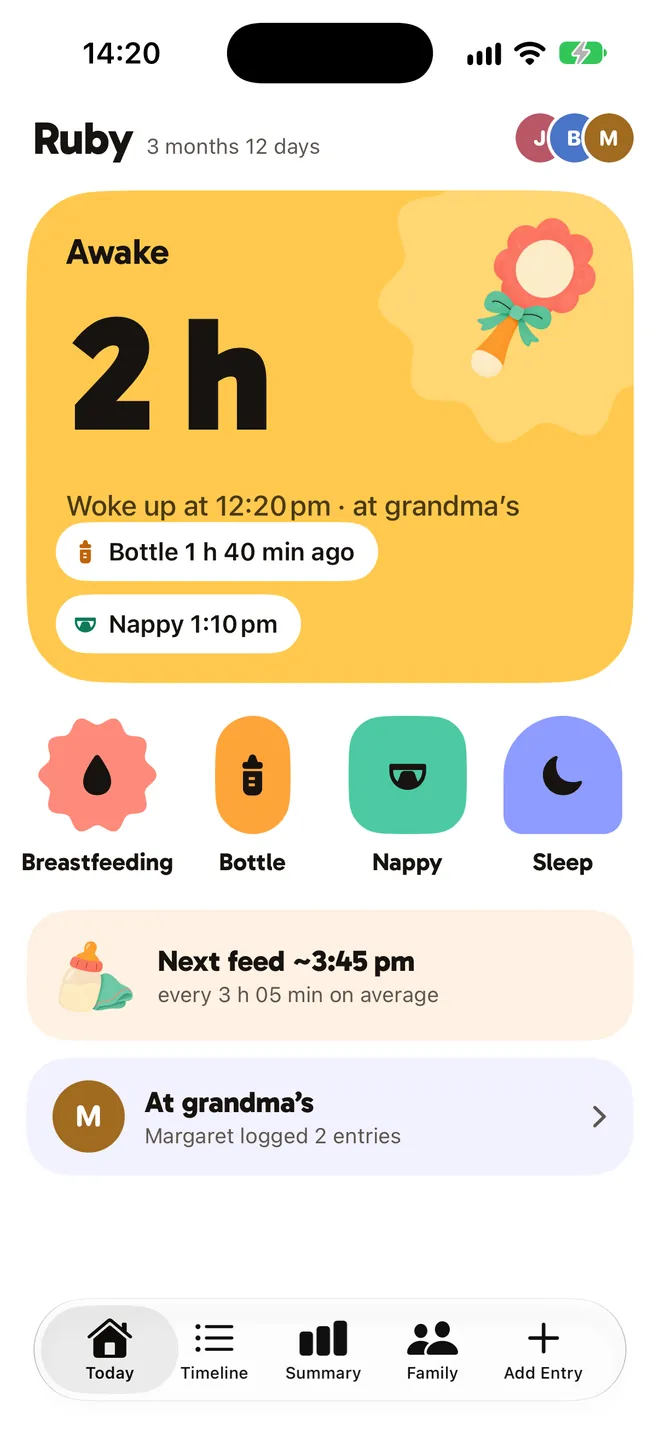
Awake
2 h
Woke up at 12:20 pm · at grandma's
Last feed, last nap, what's next.
See it at a glance, log it in one tap. When the state changes, the block changes its shape and colour, so you know it at 3 am without reading.
Try it: tap the shapes. Nursing and sleep start a timer; a bottle or a nappy lands in the timeline.
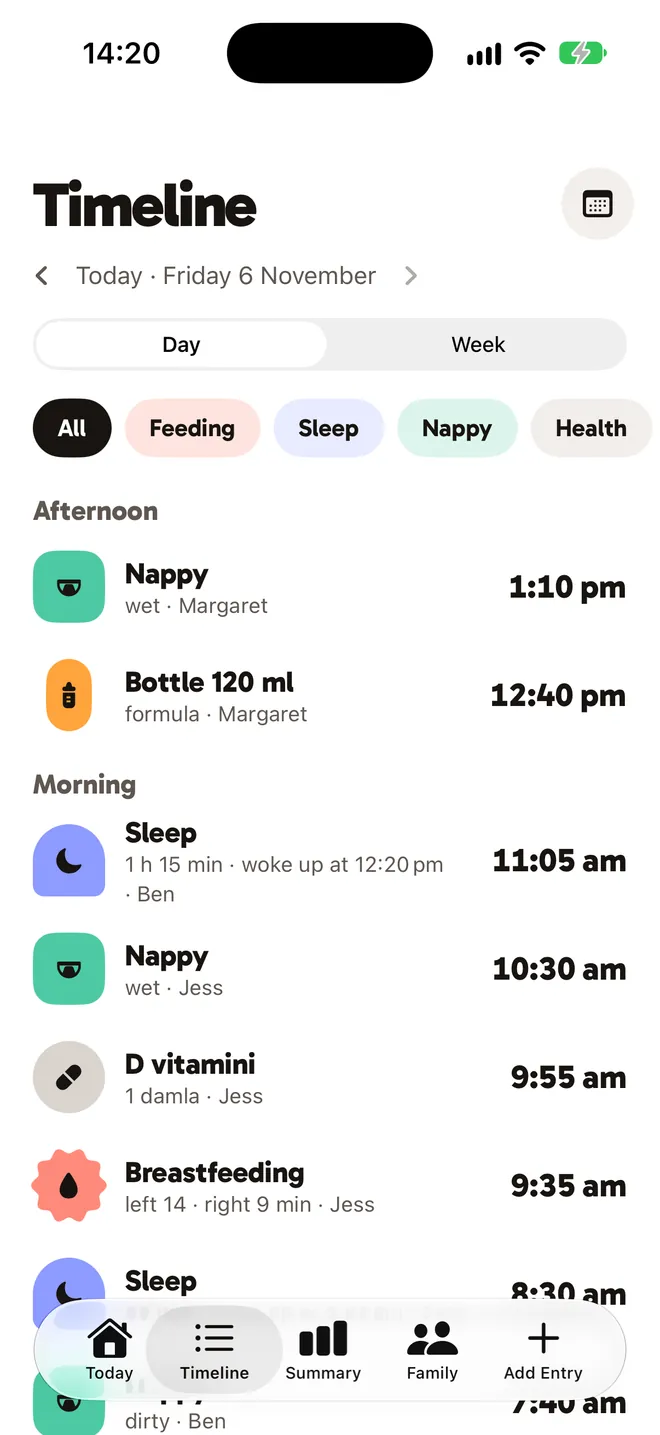
- Nappywet · Margaret1:10 pm
- Bottle 120 mlformula · Margaret12:40 pm
- Sleep1 h 15 min · Ben11:05 am
Nursing, bottles, pumping, nappies, sleep, medicine, temperature, growth, solids and vaccines in one place.
See who logged what, and when.
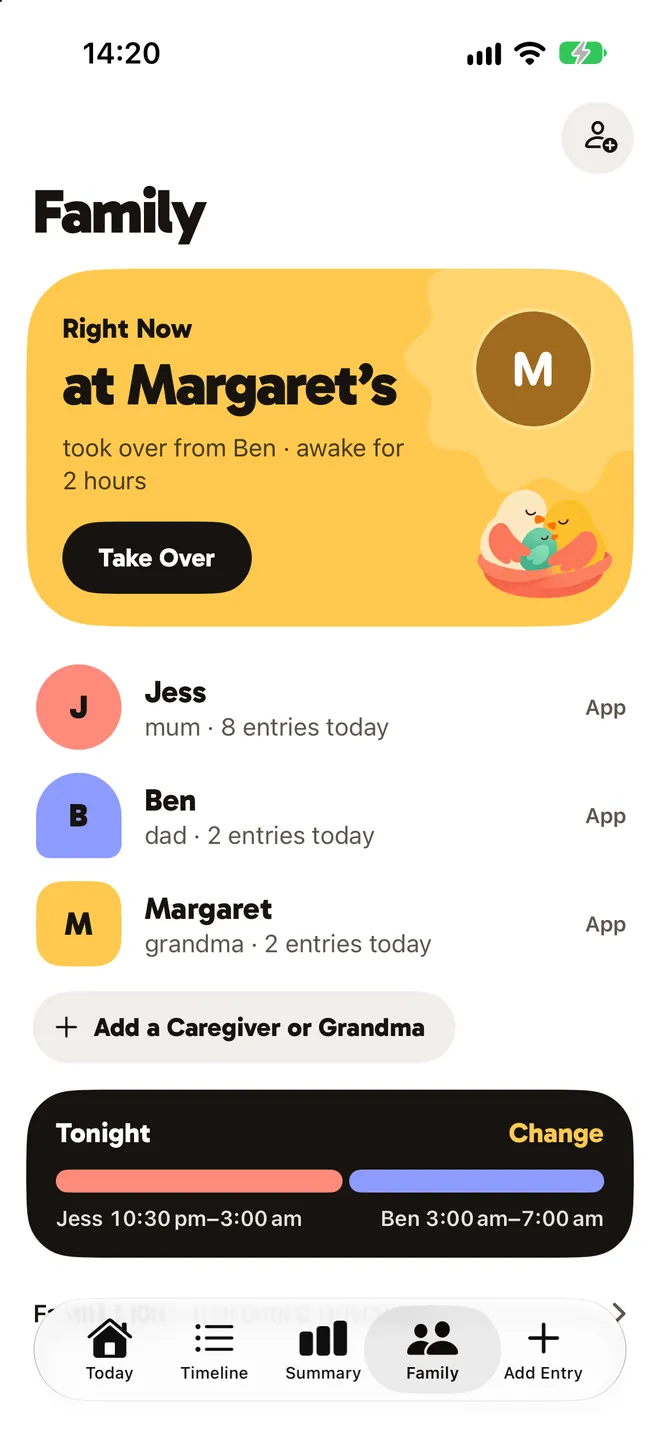
Every feed, nap and nappy in one timeline, for everyone at once. You also see who has the baby: right now Ruby is at grandma's.
- JJessmum · 8 entries today
- BBendad · 2 entries today
- MMargaretgrandma · 2 entries today
Invite family with a link; each person gets the right level of access.
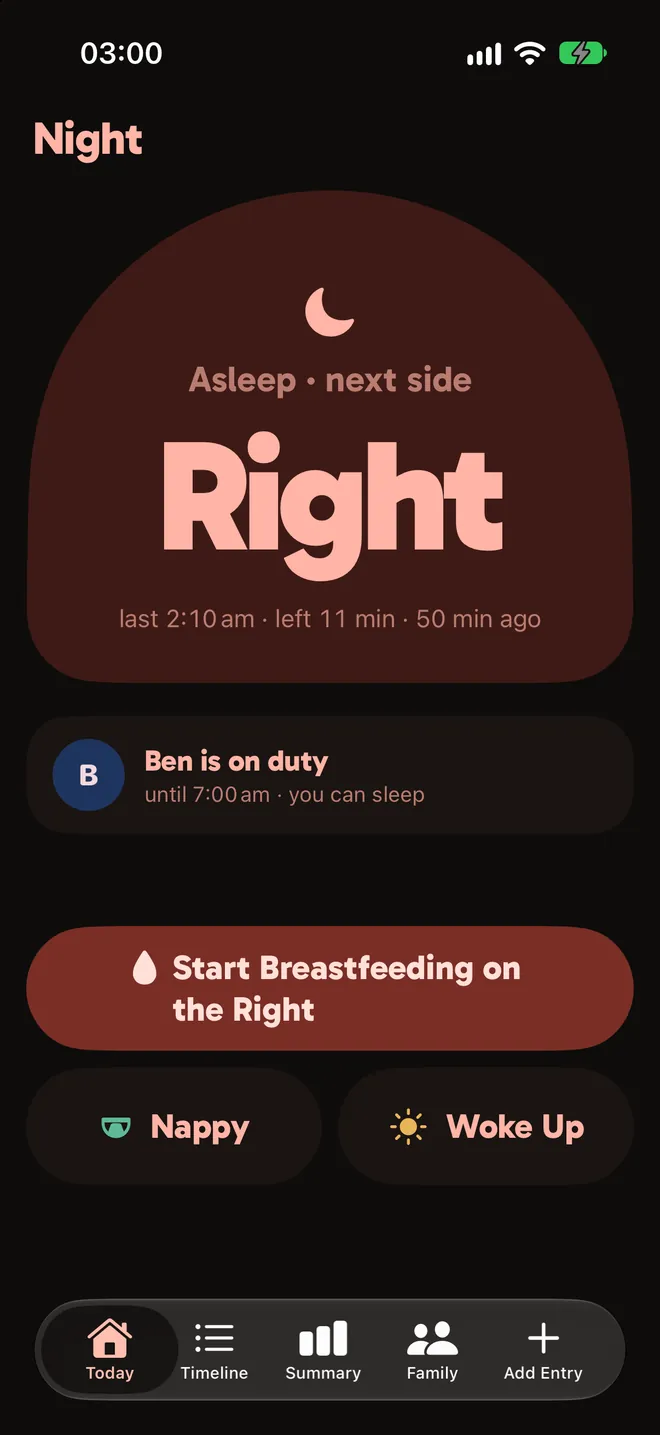
Built for 3 am, one hand, tired eyes.
The night screen dims on its own. The shift is split by each parent's sleep debt, with a reminder when it changes hands.
Low brightness, warm tones, big buttons under your thumb. The next side is the largest thing on screen; one tap starts nursing on the right.
Bebia looks at the last few nights. Ben averaged 4 h 55 min over three nights, Jess 5 h 40 min; whoever is further behind sleeps first. Apple Health sleep data is optional.
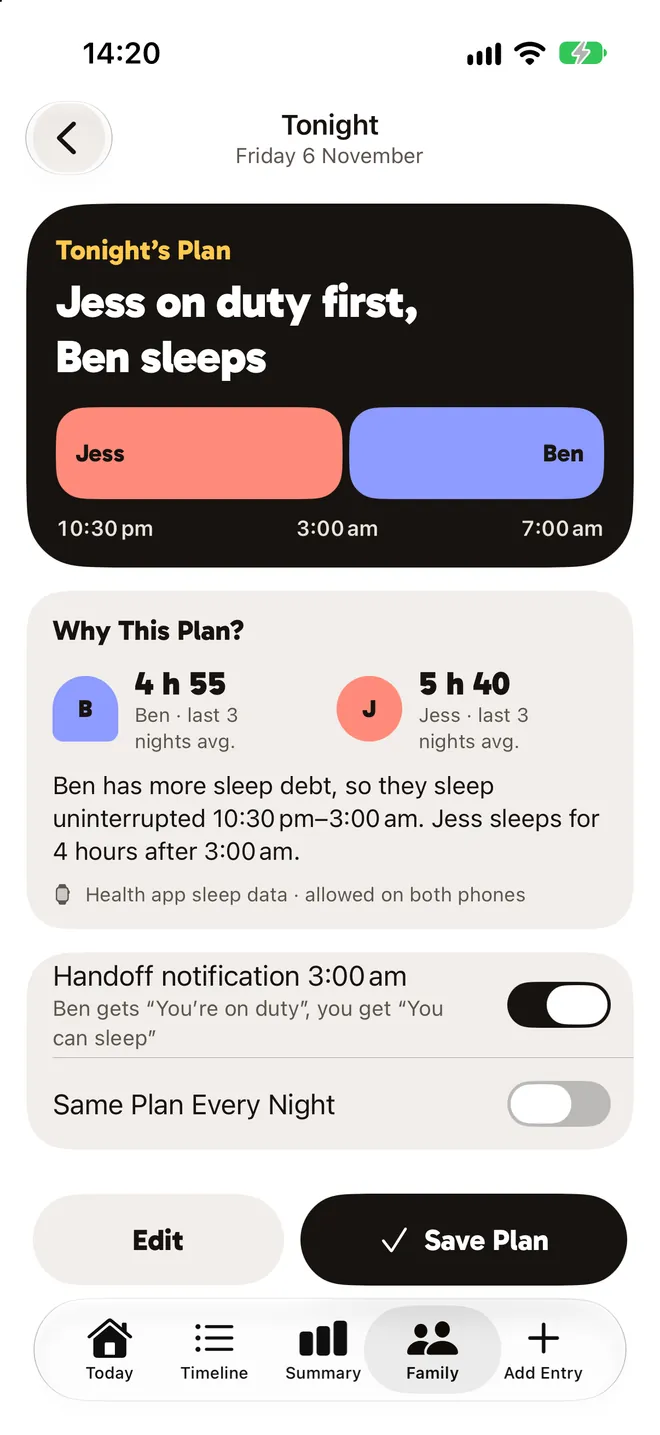
Jess on duty first, Ben sleeps. You can edit the plan, or keep the same one every night.
At 3:00 am Ben gets “You're on duty,” and Jess gets “You can sleep.”
Nobody wakes anybody to ask; the screen says whose shift it is.
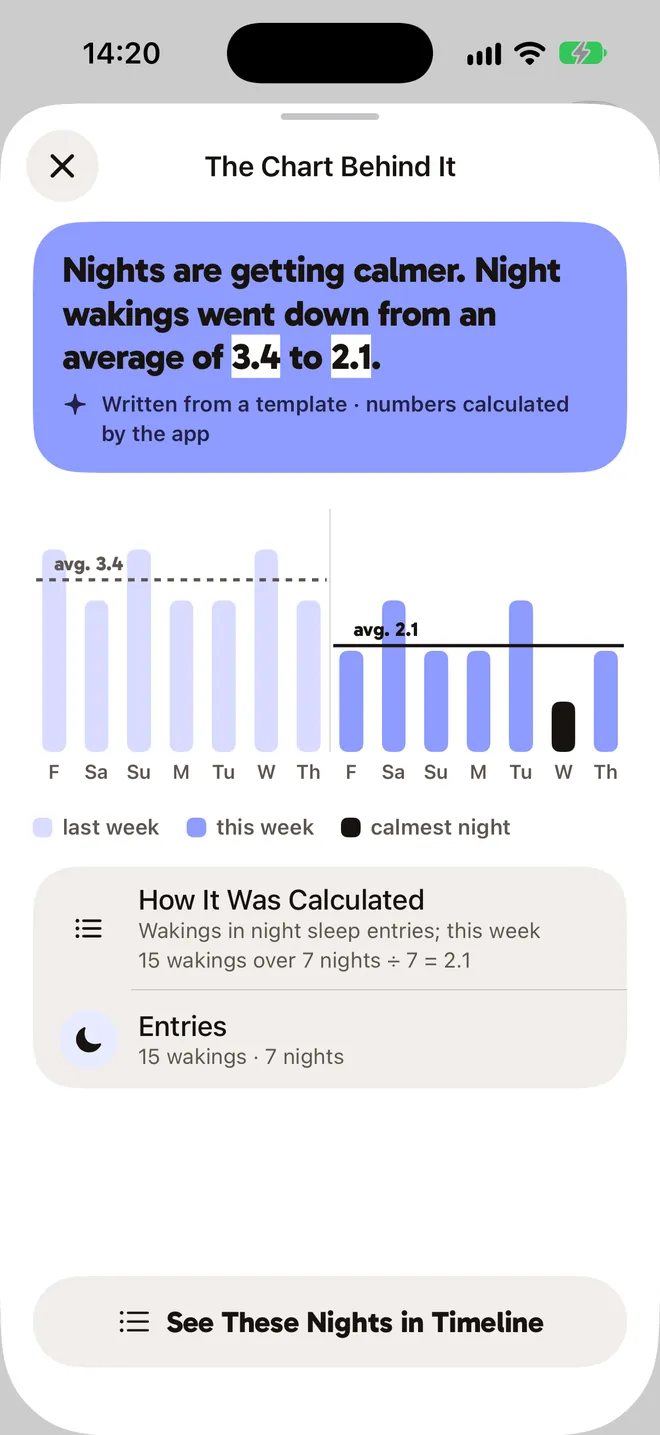
Your week, in one clear sentence.
The app does the math; AI only writes the sentence. Tap any sentence to see the chart behind it.
Nights are getting calmer. Night wakings went down from an average of 3.4 to 2.1.
- Daily, weekly and monthly summaries.
- Growth charts for height, weight and head size, with WHO references.
- A doctor report as a PDF, ready before the checkup.
Safety is free.
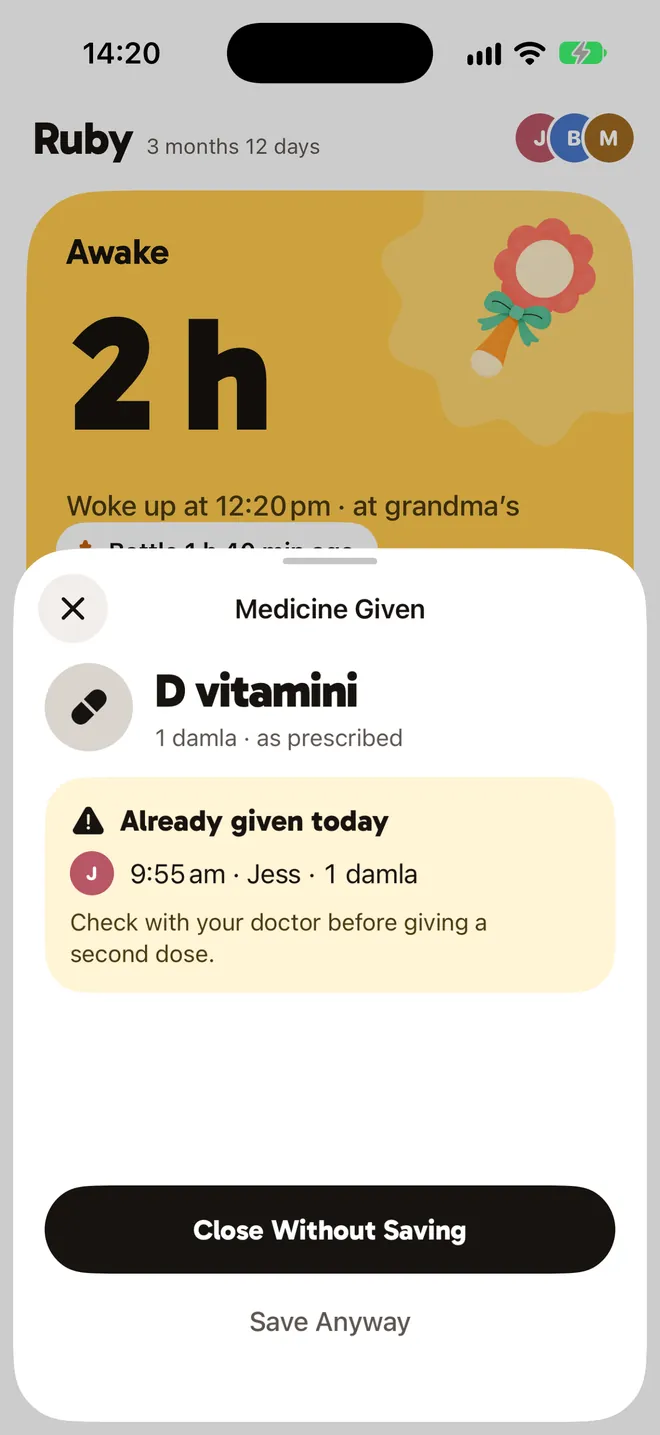
If the same medicine is logged twice in a day, Bebia warns you before saving: who gave it, when, and how much. Double-dose alerts and red flags are free on every plan.
Red flags
Fixed rules tell you, calmly, when it is time to call your doctor.
No diagnosis, no dosing
Bebia never diagnoses or suggests doses. You enter the dose from your doctor's prescription.
Health details never go to AI.
Notes, health profile and baby photos are end-to-end encrypted with your family key. No ads, no tracking.
You give consent layer by layer; try the switches below. Read the privacy policy
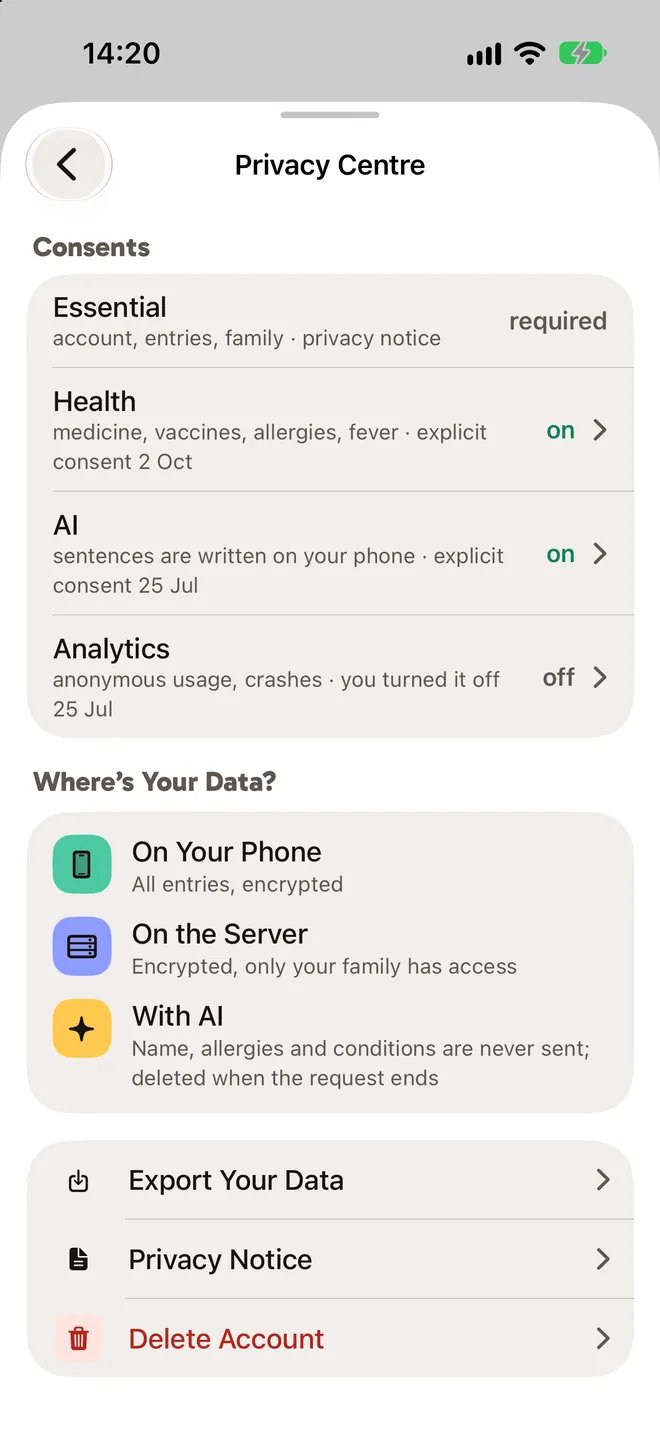
Account, entries and family
requiredThe basics Bebia needs to work: your entries are shared with your family and no one else.
Medicine, vaccines, allergies and temperature are shared within your family with your explicit consent. Withdraw it any time in the Privacy Center.
When off, your health entries stay on your phone only.
The app calculates the numbers; the model only writes the sentence. Names, allergies and conditions are never sent to it.
When off, none of your entries are given to AI.
The photo is encrypted with your family key; our server cannot see it, and it is never sent to AI.
Optional; you never have to add one. Remove it and it disappears from every phone in the family.
With Apple Health permission, only your nightly total sleep is shared; your bedtime and wake-up time are not.
When off, you arrange the plan yourself.
Logging is free.
Always free
Logging, the daily summary, the health profile and every safety feature.
Double-dose alerts and red flags will never be paid.
Family Plan
For families who add grandparents and a caregiver.
Add grandparents and caregivers, weekly and monthly summaries, the doctor report, and reading vaccine labels from a photo.
14 daysfree trial
Then a monthly or yearly subscription; the App Store shows the price in your currency. It renews unless cancelled at least 24 hours before the trial or period ends; manage it in your Apple ID settings.
Questions
How do I add someone to my family?
Create an invite link in the Family tab and share it. The person who joins sees and adds entries with the access you give them.
Does Bebia suggest doses?
No. You enter the dose from your doctor's prescription; Bebia never diagnoses. In an emergency, call your local emergency number.
Which devices does it run on?
For now Bebia runs on iPhone only, on iOS 18 or later.
How do I cancel my subscription?
On your iPhone: Settings › your name › Subscriptions › Bebia. Cancellation takes effect at the end of the period.
How do I export my data?
In the app: Settings › Privacy Center › Export your data. The file is prepared on your phone.
How do I delete my account?
Settings › Privacy Center › Delete account. The request waits 30 days, and you can cancel it during that time.
Something else? Support page